Trace viewer
Root cause
The root cause is the newsletter dialog popping up and blocking user interaction. But why can't we see that when running tests locally?
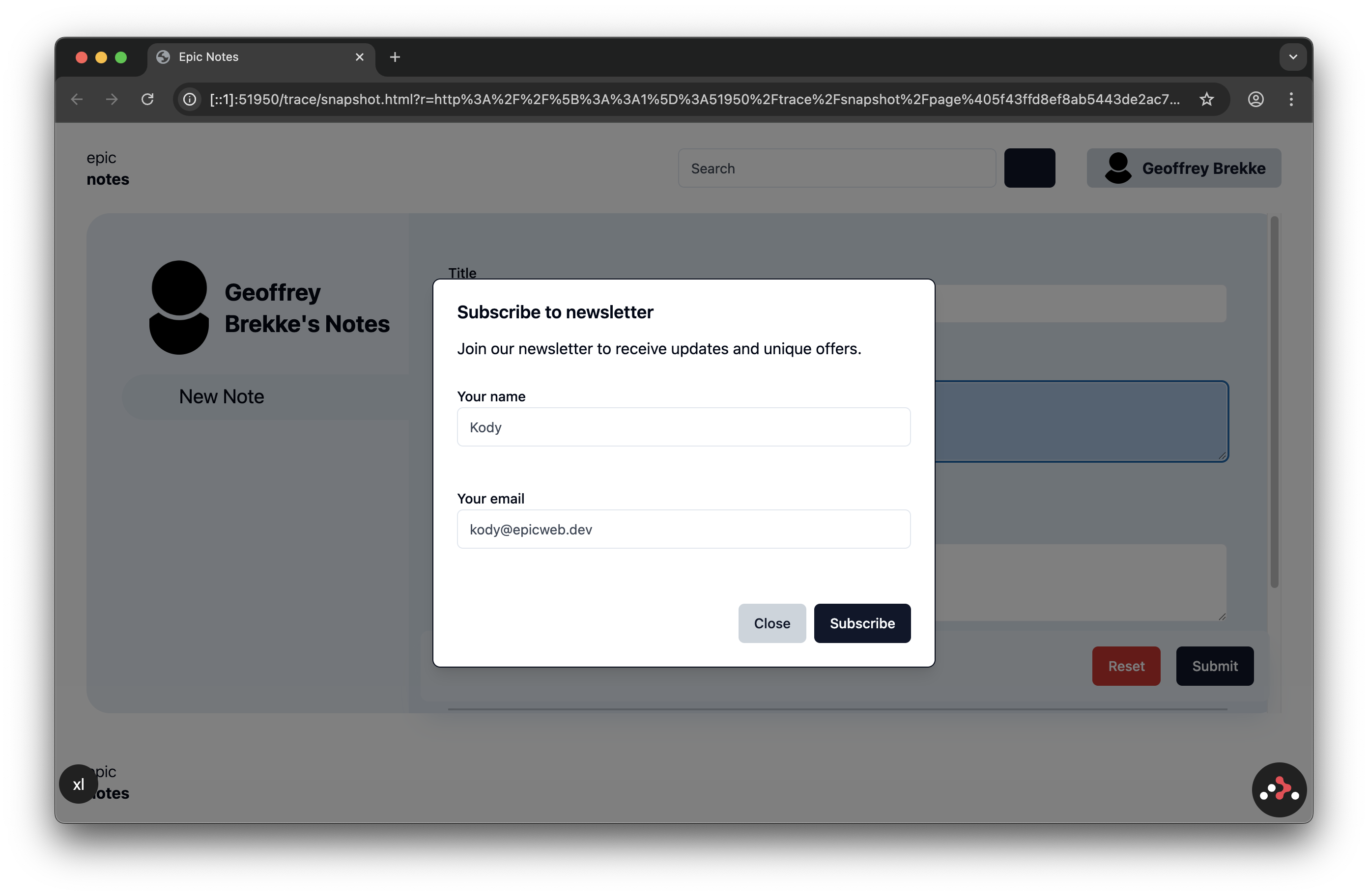
Because the newsletter dialog renders conditionally. The
SHOW_NEWSLETTER_DIALOG environmental variable that controls its rendering was incorrectly set to true on CI, causing only the remote test runs to fail. Luckily, we have access to the trace and can step through the test, including its visual history, and find the culprit in no time.Generating local traces
You can generate a trace of your local test run by setting the
--trace CLI option of playwright to on:npx playwright test --trace on
# or
npm test -- --trace on
Uploading traces on CI
Don't forget to configure your CI pipeline to upload the generated traces (and other test artifacts) if your test job fails. Here's an example of how to do that using the
actions/upload-artfact on GitHub Actions:# .github/workflows/ci.yml
jobs:
test:
steps:
- name: E2E tests
run: npm run test:e2e
- name: Upload test artifacts
if: failure()
uses: actions/upload-artifact@v4
with:
name: playwright-report
path: ./test-results
if: failure()makes sure that you only upload the artifacts on test failures;with.nameis an ID for the uploaded artifacts;with.pathis the path relative to the project's root where the generated artifacts are located. By default, Playwright emits them in the./test-resultsdirectory.